
Unlock the Full Potential of FDM and Origin 3D Printing with
OpenAM™
OpenAM opens the door to new possibilities in 3D printing for both FDM and P3™ DLP technologies, allowing you
to precisely tune materials, enhance part properties and unlock new applications.
Experience the power of OpenAM and take your 3D printing to the next level, whether you’re using FDM or P3 technology.
OpenAM for FDM
Fine-tune print parameters and access machine controls to optimize your prints, while broadening your material options and eliminating single-sourcing and lengthy development cycles.
OpenAM for P3™ DLP
Print with any compatible material by creating custom profiles, copying and modifying existing profiles, or configure any print setting to optimize your prints. Access the Origin open material library to expand your possibilities.
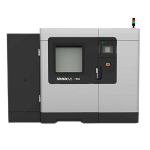
Expand Your 3D Printing Capabilities with OpenAM for Fortus 450mc
and F900 Printers
- Customized, editable print parameters that include liquefier temperature, oven temperature, bead mode options and access to machine controls not available through other software.
- Featured-based tuning for quick adjustment of desired part characteristics.
- Materila class defaults and safe parameter ranges to reduce costly failures and lost time.
- Helpful tuning tips paired with best practices, feature-based part tuning and material support references in the Stratasys FDM Tuning Guide to ensure repeatable success.
- Elimination of constraints from single-sourcing and lengthy material development cycles.
- Additional temperature ranges and material options for diverse development and production challenges.

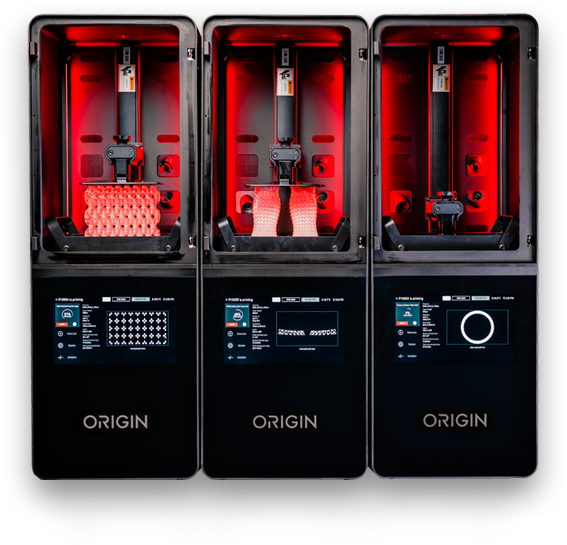
Maximize your Origin Printer’s Potential with OpenAM
The OpenAM open material license for the Origin printer grants power users and material developers granular control of the printing process to print with any compatible resin to optimize prints and unlock new applications.
Fine-tune print parameters such as UV exposure, temperature, movement, scaling and more for ultimate priint control
Create material profiles with custom print settings tailored to your print goals: optimize for throughput-or geometry-specific considerations and more.
Access the P3™ DLP open material library, containing additional materials validated by our partners.
Seamlessly integrated with GrabCAD software for a streamlined workflow.
Experience the Power of OpenAM: Schedule Your Demo Today!
See firsthand how OpenAM can revolutionize your 3D printing workflow and open up new possibilities for your projects. Our expert team is ready to provide you with a presonalized demostration, showcasing the features and benefits of OpenAM software for your specific needs. Don’t miss this opportunity to explore how OpenAM can help you innovate, optimize and expand your 3D printing capabilities. Contact us today to schedule your demo and take the first step towards unlocking the full potential of your Stratasys 3D printers.
Operating System Requirements
| Operating System | Windows 10 and never, Windows Server 2015 and never. Only 64-bit versions of Windows are supported. |
| User Privileges | Windows administrative rights for installation. |
| RAM | 8GB minimum, 16GB or more recommended. |
| Disk Space | 5GB minimum, 20GB or more recommended. |
| Video Card | NVidia, AMD or Intel, post 2011. 1GB video memory, 8GB or more recommended, DirectX 11 compatible. |
| Screen Resolution | 1280×1024 minimum, 1920×1080 or more recommended. |
| CPU | AMD or Intel with AVX Support, 2 core or greater. |
| Network | Ethernet or wireless connectivity to Local Area Network. |
| Browser | Google Chrome, Firefox, Internet Explorer 11, Microsoft Edge (for online documentation). |