

3D Printing Software for Stratasys
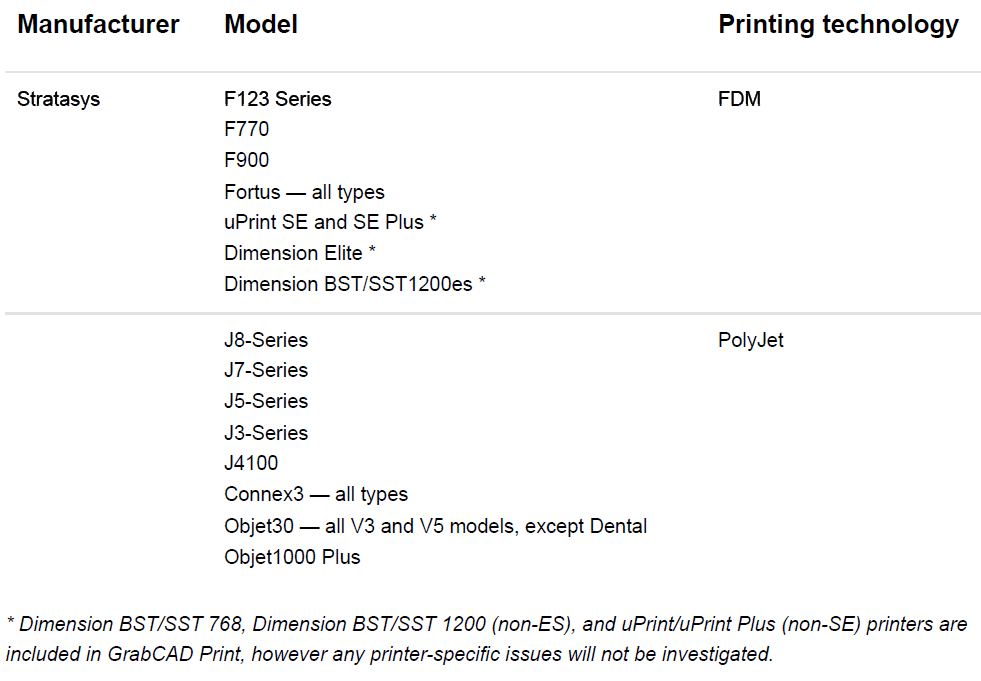
3D Printers
Key
Features

3D Print Preparation
Prepare models for 3D printing through orientation, optimization, and support generation.
Multi-printer Control
Use a single app to prepare print jobs across multiple printers, whether FDM or Polyjet technology.

CAD Agnostic
Print STL, VRML and native 3D CAD file formats (Creo, SOLIDWORKS, NX, CATIA, Inventor, OBJ) directly. Repair damaged files automatically.

Scheduling
Print immediately or queue for later based on the availability of any supported 3D printer in your organization, even if you’re remote.

Real-time Notifications
Know exactly when your print is finished or when errors occur via email notifications.

Business Intelligence
Understand job history, material usage, print times, errors, and utilization across all machines.
Available Anywhere You Go
Monitor printers and print jobs from anywhere using desktop or mobile.

Security You Can Trust
GrabCAD relies on best-in-class network architecture, built to satisfy the requirements of the most security-sensitive organizations. Learn more about our approach to security.

Advanced FDM Control
Optimize for weight or strength in different sections of models by assigning attributes directly to geometry.
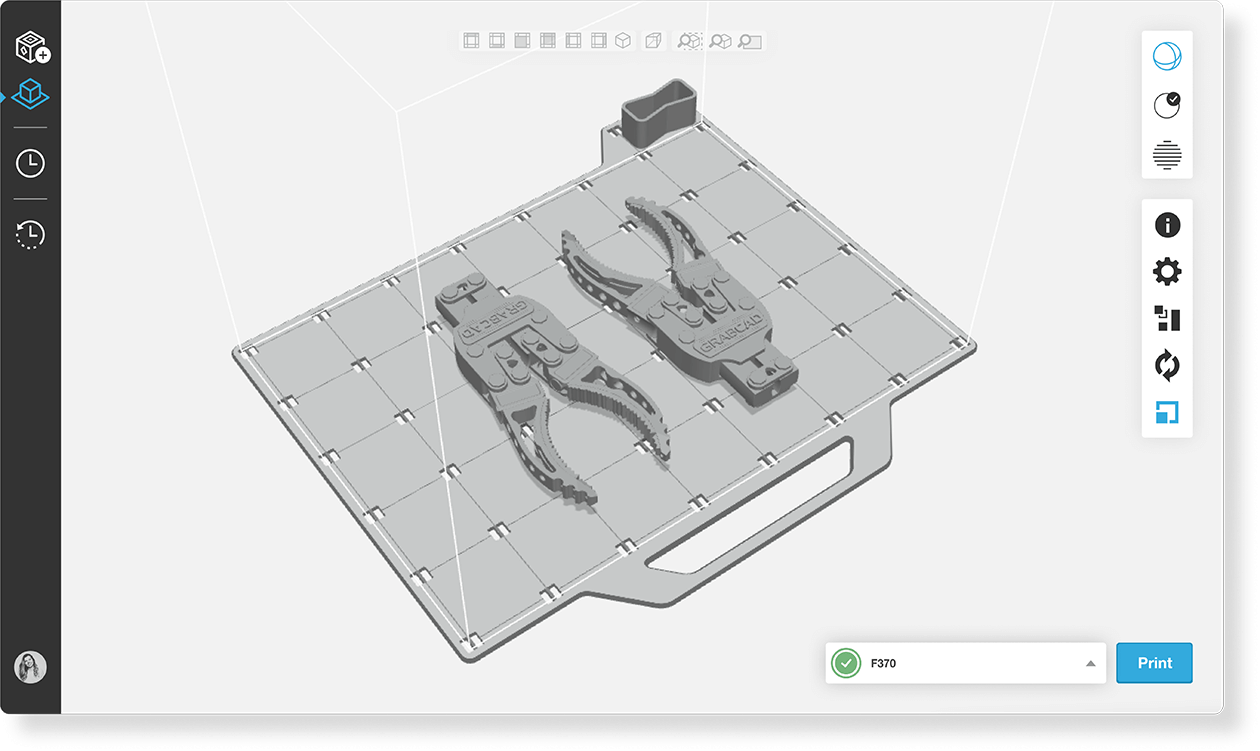
A smooth 3D printing workflow
Get the 3D printed parts you want, obstacle-free
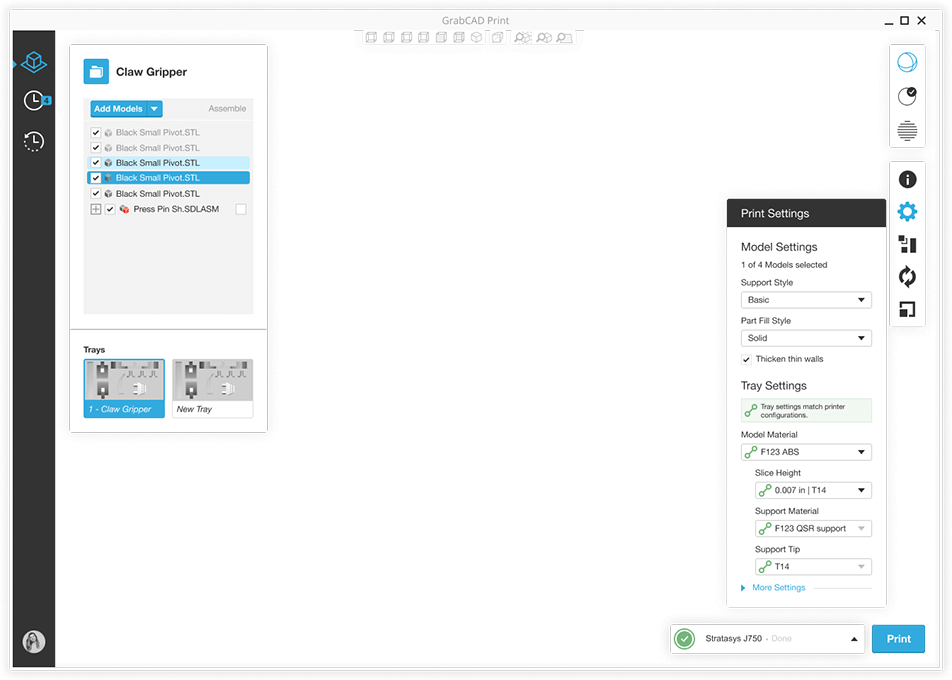
Print directly from CAD
Get started fast
Lean on smart default settings, tooltips, and notifications to guide you through a seamless printing process.
Do more with slicing software for 3D printing
Advanced 3D slicer technology allows you to get more detailed in what you want your printer to do, including Pantone color matching, detail improvements and part priority.
See what you’re making
Work with detailed views of your model, tray, and slice preview so you can make necessary adjustments before going to print.
Control advanced FDM properties
Use geometry-targeted tools to create purpose-built parts that minimize weight and material without compromising strength.
Get more from your printers
Optimize your resources with a management view of all printers and jobs
Organize print queues
Maximize print scheduling based on machine availability, estimated job duration, and other key considerations
Track material levels
Know how much material remains for each printer so you can plan and budget
Stay up to date
Email notifications let you know when your print is complete (or if an error has occurred) so you can act accordingly
View printer usage like never before
Analyze material usage, printer history, and printer utilization with in-depth reports and dashboards
3D print anatomically realistic models
GrabCAD Print supports the new Stratasys Digital Anatomy Printer. Users can create realistic human anatomy 3D prints by choosing from a vast library of preloaded models directly in GrabCAD Print
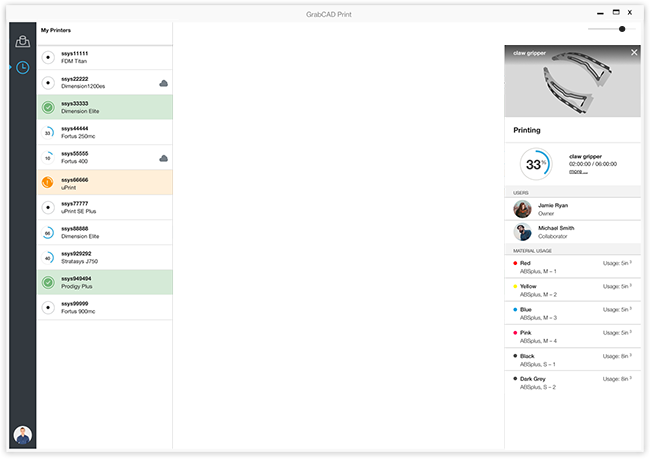
Print from anywhere
Let anyone on your team experience the benefits of 3D printing
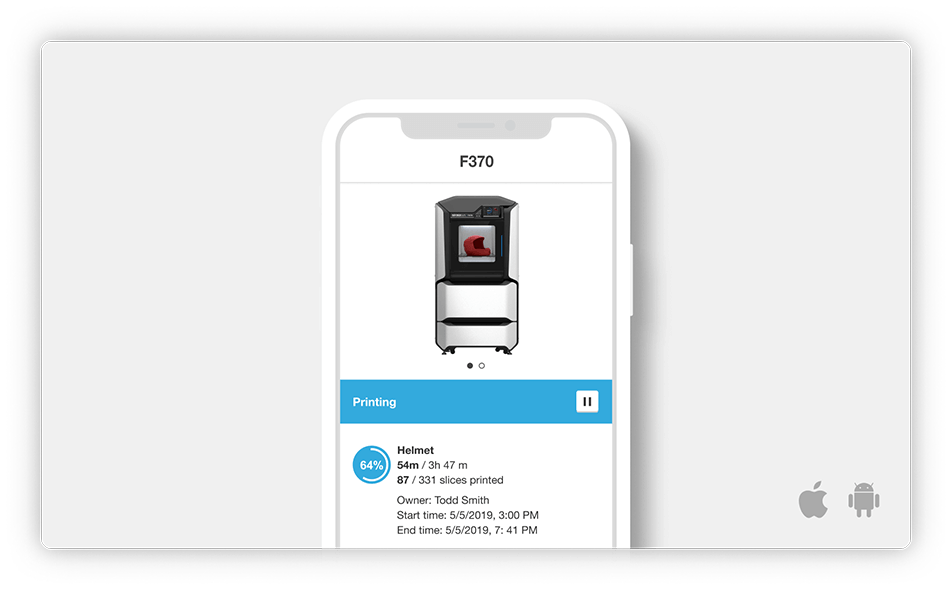
Monitor from any device
GrabCAD Print is cloud-connected so you can access it directly from any browser or your mobile device.
Schedule remotely
Access and print to any supported printer in your company, even if it’s in a different geographic location
Minimal training required
A straightforward interface makes professional 3D printing as easy as loading a part and clicking print.